
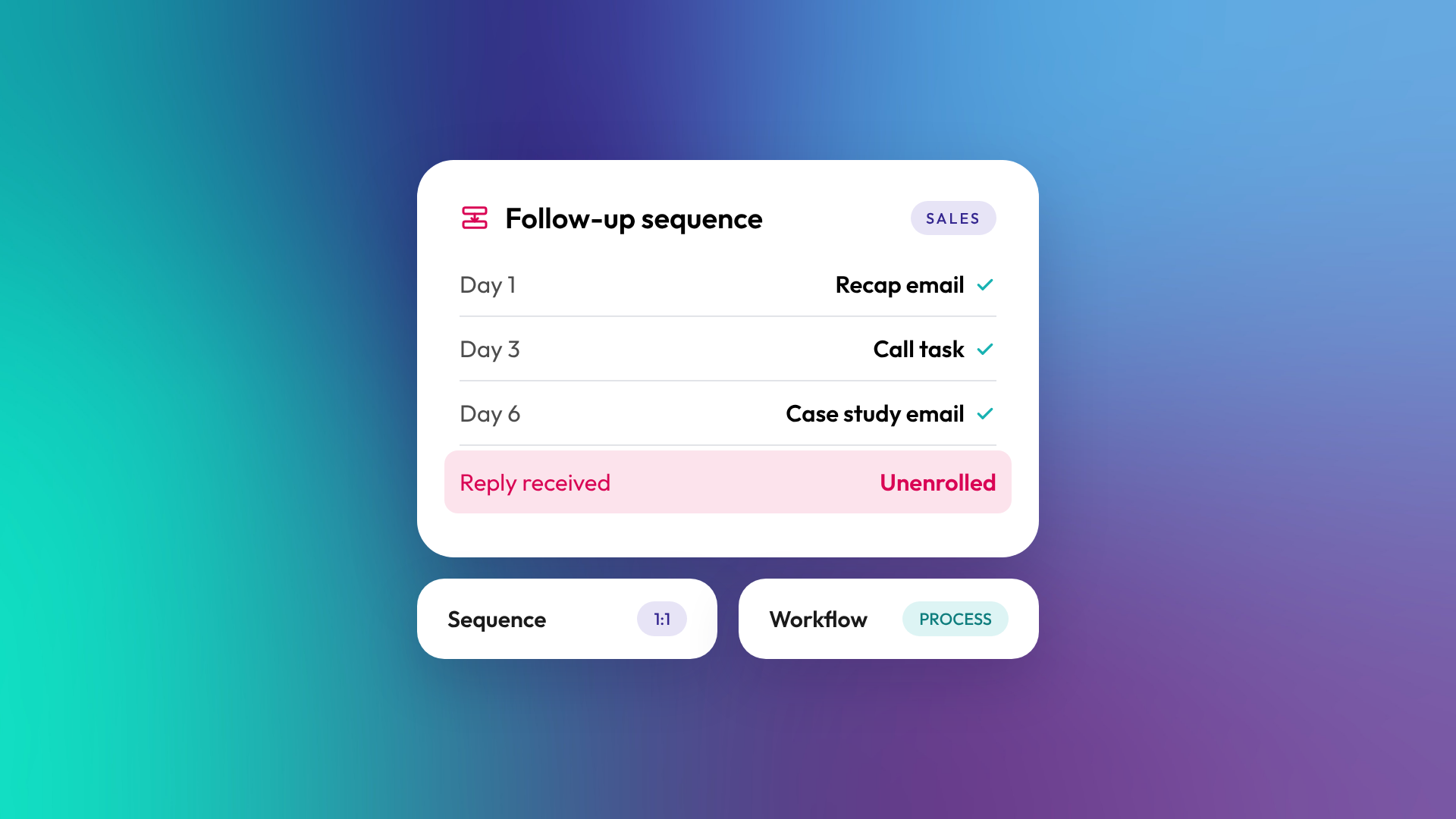
A sales sequence is a series of timed, personalised one-to-one emails and follow-up tasks sent from a salesperson's own inbox, which stops automatically when the contact replies or books a meeting. A workflow is background automation that runs business processes across the HubSpot objects your subscription supports, such as updating properties, routing leads or sending marketing emails. Sequences are for personal sales follow-up. Workflows are for processes.
What is a sequence in HubSpot?
A sequence in HubSpot is a set of steps (emails, tasks, calls and LinkedIn actions) that a salesperson enrols a contact in. Emails go from the rep's connected inbox, so they look and read like normal one-to-one messages. Sequences are available on Sales Hub and Service Hub Professional and Enterprise, and users need an assigned Sales or Service Seat.
A typical B2B sequence after a discovery call might look like:
- Day 1: email with a recap and the resources discussed
- Day 3: task to call and check the proposal landed
- Day 6: email with a relevant case study
- Day 10: task to connect on LinkedIn
- Day 14: short "close the loop" email
What happens when a contact replies to a sequence?
By default, the contact is unenrolled automatically when they reply to a sequence email or book a meeting. That's the main difference from marketing automation: the sequence steps aside as soon as a real conversation starts, so the rep can take it from there. Out-of-office replies usually don't trigger unenrolment.
How is a sequence different from a workflow?
The two tools overlap in that they both automate follow-up, but they serve different jobs and have different owners.
| Sequence | Workflow | |
|---|---|---|
| Who it's for | Individual salespeople | The business |
| Sends from | The rep's own inbox | HubSpot, as marketing or internal email |
| Objects | Contacts | Contacts, companies, deals, tickets and more |
| Stops when contact replies | Yes, by default | Not automatically |
| Typical use | Prospecting and deal follow-up | Lead routing, lifecycle updates, nurture |
| Marketing contact status needed | No | Yes, for marketing emails |
| Subscription | Sales or Service Hub Pro or Enterprise, plus seat | Pro or Enterprise on most hubs |
When should you use a sequence?
Use a sequence when a salesperson wants consistent, personal follow-up with specific contacts and will handle the conversation once they respond. Sequences are ideal for outbound prospecting, post-meeting follow-up, proposal chasing and re-engaging stalled deals. They keep follow-up consistent without the rep needing to remember every step.
When should you use a workflow instead?
Use a workflow when the action is part of a business process that should happen the same way every time, regardless of who owns the contact. Assigning owners, setting lifecycle stages, notifying sales of high-intent behaviour and sending marketing nurture emails all belong in workflows. With Sales Hub or Service Hub Enterprise, workflows can also enrol contacts into sequences on behalf of a user, which is useful for routing new leads straight into follow-up. Read more: How to enrol HubSpot contacts in sequences on behalf of another user.
How do you write sequences that work?
Good sequences read like a thoughtful person wrote them, because that's what the recipient expects from a one-to-one email. Keep emails short, make each step add something new, and personalise the first line using tokens and the rep's own notes.
Practical guidelines:
- Five to seven steps is usually enough
- Mix emails with call and LinkedIn tasks
- Space steps two to four business days apart
- Avoid "just following up" emails with nothing new
- A/B test subject lines and openings once you have volume
- Review reply and meeting rates monthly and retire weak sequences
Related reading: What is sales enablement? and Lifecycle stage vs lead status: what's the difference?.
Common questions about sequences
Do sequences send from my own email?
Yes. Sequence emails are sent from the salesperson's connected inbox, so replies come straight back to them.
Can I enrol a company in a sequence?
Sequences enrol contacts. You can enrol several contacts from the same company, each in their own enrolment.
Can sequences include LinkedIn steps?
Yes. Sequences can include task steps for LinkedIn actions, such as connection requests or messages, which the rep completes manually or through an integration.
Is there a daily limit on sequence emails?
Yes. HubSpot sets daily sending limits for sequence emails, which you can review in the sequences tool. Limits help protect your inbox's sending reputation.
Can marketing use sequences?
Sequences are designed for one-to-one sales and service follow-up. Marketing emails to lists should use marketing email and workflows instead.
Where to from here
Look at the last ten deals your team lost to silence and note where follow-up stopped. That point is where your first sequence should start. Sequence and workflow design is part of our HubSpot onboarding work.
