
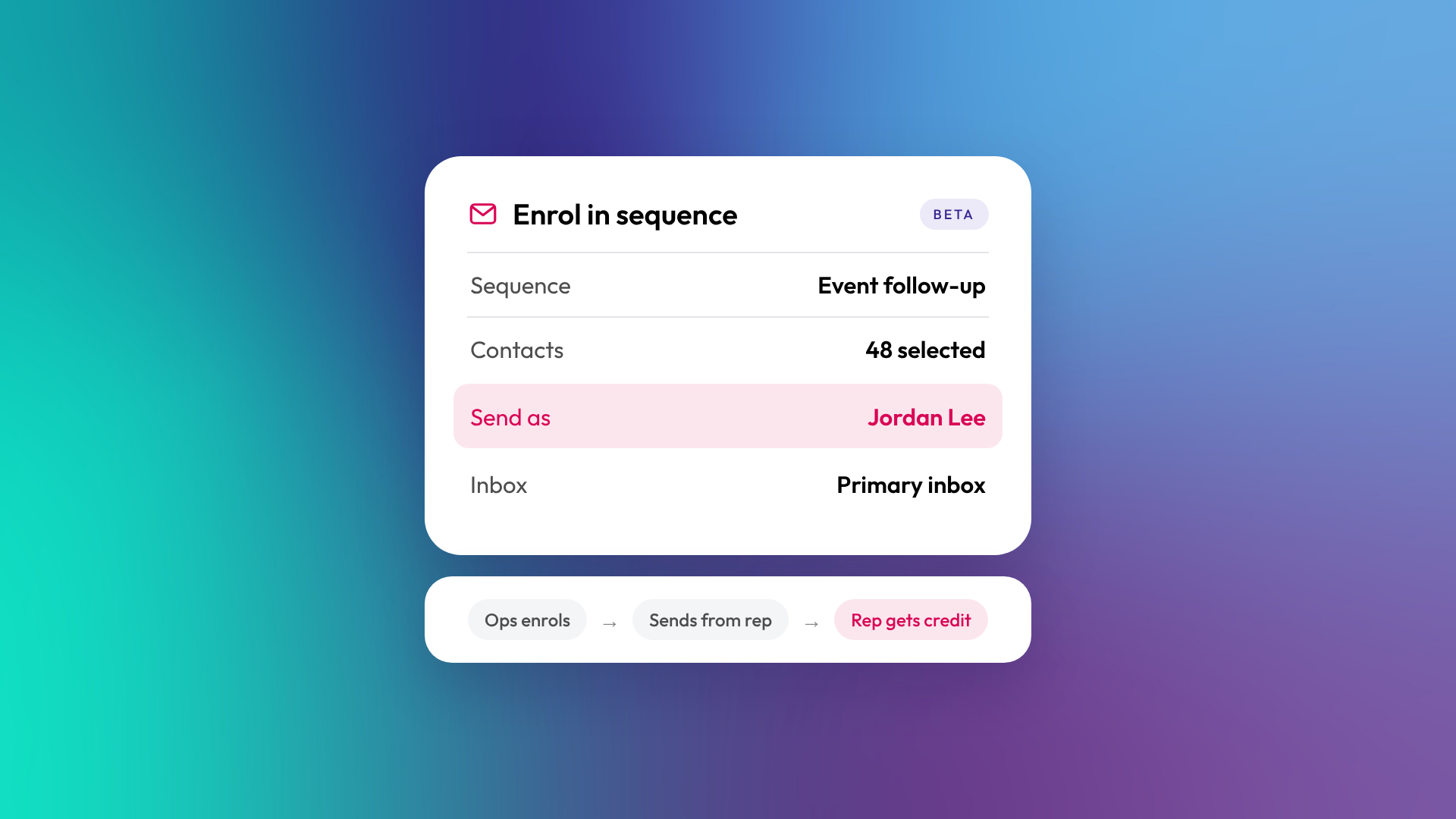
HubSpot now lets sales ops, managers and executive assistants enrol contacts in a sequence on behalf of another user. The emails send from that person's inbox, the tasks land in their queue, and the replies and activity are credited to them, not to whoever did the enrolling.
The feature is in public beta. HubSpot's announcement lists Sales Hub and Service Hub Starter, Professional and Enterprise, plus Revenue Hub Professional and Enterprise. Being on one of those subscriptions doesn't by itself give someone sequence access, though. Users still need the right seat and permissions, which we cover below.
What problem does it solve?
In a lot of the teams we work with, the person who builds and runs outreach isn't the person whose name is on it. A sales ops lead loads contacts for a handful of reps. An executive assistant runs event follow-up for the founder. A marketer sets up the post-webinar sequence for the sales team.
Sending on behalf of another user was already possible through workflows, with the appropriate subscription. What was missing was a simple manual option. So teams without a workflow built for it worked around the gap. Reps enrolled lists someone else had built, people logged in as each other, or a marketing email went out where a one-to-one email should have. None of that scales, and it muddies who owns which relationship in the CRM.
The beta adds manual delegated enrolment. You enrol contacts yourself and choose who the sequence sends from, without setting up a workflow to do it.
How does enrolling on behalf of others work?
- A super admin opts the account into the beta. The manual delegated-enrolment option requires the account to be opted into the beta.
- An admin grants the permission. In Users & Teams settings, open the user and, under their Sales permissions, turn on "Enroll sequences on behalf of others". If they'll enrol in bulk, they also need the "Bulk enroll sequences" permission.
- That person enrols contacts manually. One at a time or in bulk.
- They choose the sender. Any user with access to the sequence, sequence enrolment permissions and a connected personal email account can be the sender.
- They pick the inbox. All of the sender's connected inboxes are available to choose from.
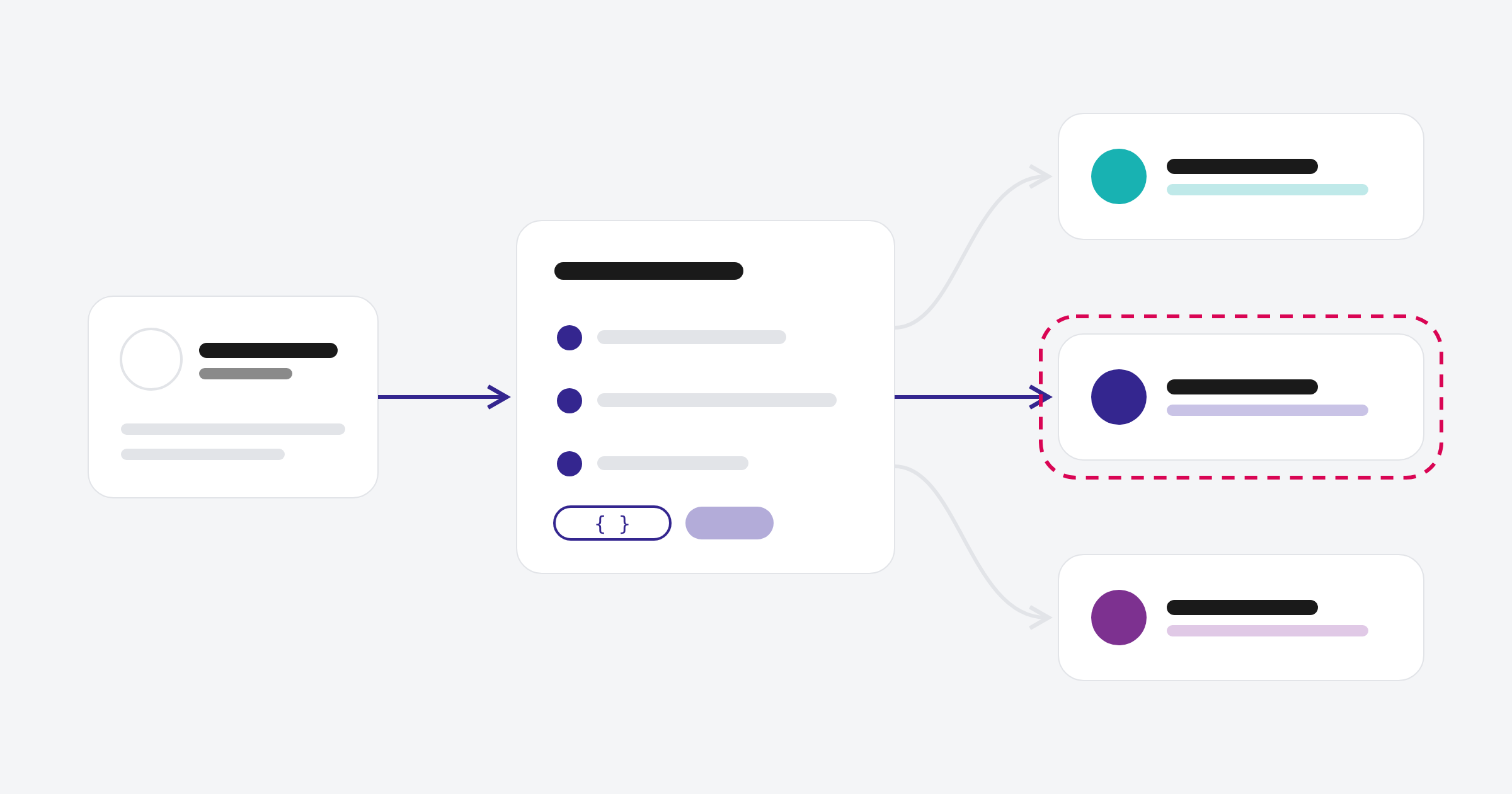
From there, every step runs as if the sender had enrolled the contacts themselves. Emails send from the sender's inbox and tasks appear in the sender's queue. Anyone without the permission won't see the option at all.
Who gets the credit in reporting?
The sender. HubSpot attributes sequence enrolments and activities to the sender, not the person who enrolled the contacts.
That keeps the credit with the person who owns the relationship. If you also need to measure the enrolment work an ops lead or assistant does, check whether your chosen reporting setup captures it before you rely on it.
What should you set up before you switch it on?
- Opt in to the beta. This needs a super admin, so line them up first.
- Keep the permission list short. Anyone with it can send email in a colleague's name. Give it to the roles that genuinely run outreach for others, and agree who can send as whom, especially for executives.
- Check seats and subscriptions. HubSpot's knowledge base currently lists Sales Hub or Service Hub Professional or Enterprise for sequence access, with an assigned Sales or Service seat. The announcement's list is broader, so if you're on Starter, confirm what your account can actually use.
- Check the sender is eligible. They need access to the sequence, sequence enrolment permissions, an eligible seat, and a connected personal email account. If someone doesn't show up as a sender option, one of those is usually the gap.
- Tell the sender. Replies land in their inbox and tasks land in their queue. A sequence nobody mentioned is how a CEO ends up with forty call tasks they didn't ask for.
- Review your templates. Check signatures and any hard-coded names so every email reads properly from whoever sends it.
- Plan around sending limits. HubSpot documents a maximum of 50 contacts per bulk enrolment and three emails per minute, alongside daily sending limits. Schedule enrolments around each appropriate sender’s daily limit and relationship ownership. The three-emails-per-minute limit applies when bulk enrolling.
- Test with one sequence first. It's a beta, and HubSpot may change how it behaves before general release.
Where does it fit best?
We'd expect the quickest wins in three places. Founder-led sales, where an assistant or ops person runs outreach that has to come from the founder. Event and webinar follow-up, where one person enrols attendees against the right account owner. And sales ops supporting a small team of reps, where list building and enrolment can sit with one person while each rep keeps their own conversations.
It also makes sequences easier to adopt. Reps who never got around to enrolling contacts still get the outreach going out under their name, and the replies still come back to them.
Frequently asked questions
Which HubSpot subscriptions include it?
HubSpot's announcement lists Sales Hub and Service Hub Starter, Professional and Enterprise, plus Revenue Hub Professional and Enterprise. That list doesn't mean a Starter-only subscription automatically includes sequence access. Users still need the relevant access, seat and permissions.
Could you already send sequences on behalf of others through a workflow?
Yes, with the appropriate subscription. Workflow-based sending on behalf of another user is still available. The beta adds a manual option, one at a time or in bulk, so you don't need a workflow to do it.
Whose inbox sends the emails?
The sender's. You can choose from any of the personal email accounts they've connected.
Who owns the activity in reporting?
HubSpot attributes sequence enrolments and activities to the sender, not the person who enrolled the contacts.
Getting it set up properly
Switching the permission on is quick. Getting the beta opt-in, seats, permissions, templates and reporting right so it works for your team takes a bit more thought. If you'd like a hand setting up sequences in your portal, let's talk.