
Last updated: November 2026
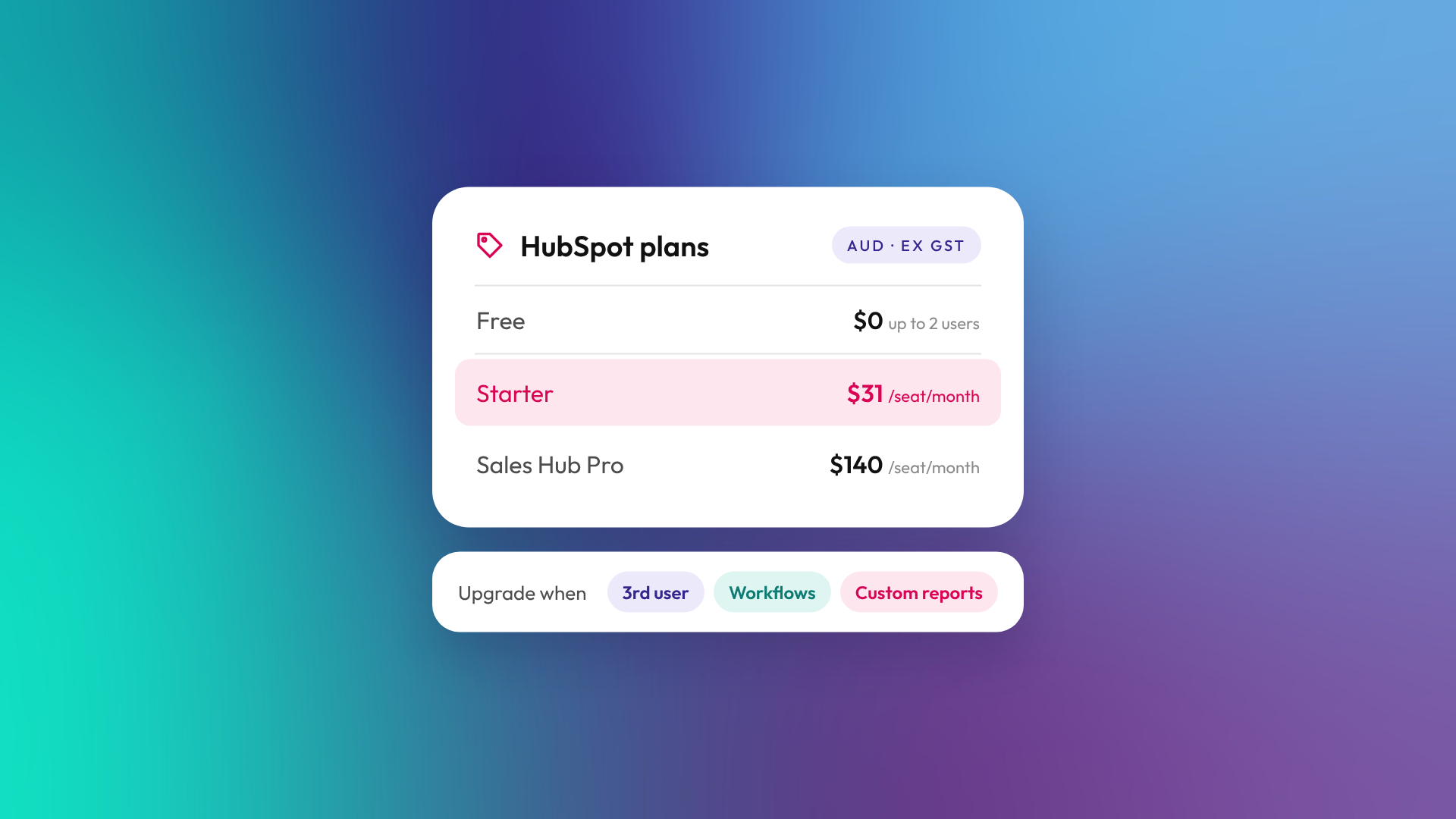
HubSpot's free CRM is free for up to two users, with no time limit. New free accounts are also capped at 1,000 contacts. It covers contact and deal tracking, email, forms, meetings and basic reporting, each with its own limits. Reasons to upgrade include adding a third user, removing HubSpot branding, needing more flexible automation, or wanting reports that combine data across objects. In Australia, Starter's displayed reference price is A$31 per seat a month, and eligible new customers may be offered lower promotional rates.
What does HubSpot's free CRM include?
HubSpot's free CRM gives a small team the core tools to manage contacts and a sales pipeline. It isn't a trial, and it doesn't expire. Each tool has its own limits. It includes:
- Contact, company and deal records with activity tracking, up to 1,000 contacts on new accounts.
- One deal pipeline.
- Email tracking and templates, with up to 3 email templates.
- Meeting scheduling links.
- Forms, basic landing pages and live chat, with HubSpot branding.
- Marketing email, up to 2,000 sends per calendar month with HubSpot branding. Automated and form follow-up marketing emails count towards this limit.
- Basic dashboards and reports.
Check HubSpot's pricing page for current limits, as HubSpot adjusts the free plan from time to time.
What are the limits of the free HubSpot CRM?
The free CRM's limits sit around users, contacts, branding, automation and reporting. These are the ones B2B teams tend to hit first:
| Area | Free CRM | What changes on paid plans |
|---|---|---|
| Users | Up to 2 | Additional editing users need the relevant paid seats. Eligible subscriptions also offer View-Only access. |
| Contacts | Up to 1,000 on new accounts | Higher limits on paid plans |
| Branding | HubSpot branding on emails, forms, meeting links and chat | The Starter bundle includes branding removal for supported tools. Check each tool's inclusions. |
| Pipelines | 1 deal pipeline | More pipelines on paid tiers (Starter allows up to 15 in total across object types) |
| Automation | Simple, limited automation | Restricted automation on Starter. More flexible automation and sequences on eligible Professional plans. |
| Reporting | Basic dashboards and reports | Cross-object custom report builder on eligible Professional and Enterprise subscriptions |
| Support | Community and self-serve | Chat and email support from Starter, subject to seat eligibility |
When should you upgrade from HubSpot free to paid?
Upgrade when a limit starts costing you time or deals, not just because a paid feature looks useful. These are the common triggers:
- You need a third person editing records or using tools. The free CRM covers two users. On an eligible paid subscription, people who only need to view records can have View-Only access without a paid seat.
- HubSpot branding looks out of place. If your forms, emails and meeting links go to clients, the Starter bundle removes branding from supported tools.
- You run more than one sales process. New business and renewals, or two product lines, may need separate pipelines if their stages differ.
- Follow-up is falling through the cracks. Starter supports restricted automation. Sequences and more flexible sales automation are reasons to move to Professional.
- Leadership wants reporting across related records. Combining deal revenue with information held on associated contact or company records requires an eligible subscription with the custom report builder.
- You've outgrown the contact limit. New free accounts stop at 1,000 contacts.
Should you upgrade to Starter or Professional?
Choose Starter if you need more users, branding removed from supported tools, higher limits and some restricted automation. Choose Professional if you need sequences, more flexible automation, forecasting or advanced custom reporting, depending on the hub you buy.
| Plan | Price in Australia (AUD, subject to applicable tax) | Good fit for |
|---|---|---|
| Free | A$0, up to 2 users | A founder or small team starting to track deals |
| Starter | A$31 per seat a month (reference price; eligible promotional offers may be lower) | Small teams that want more users, no branding on supported tools and restricted automation |
| Sales Hub Professional | A$140 per seat per month equivalent, billed annually; or A$155 per seat per month, billed monthly with an annual commitment | Sales teams that need sequences, more flexible sales automation and forecasting |
Prices are HubSpot's displayed AUD rates as at 15 November 2026, subject to applicable tax. Starter's A$31 is the non-promotional reference price. Eligible new customers may be offered lower promotional rates. Sales Hub Professional also requires a one-time onboarding fee. Other hubs and tiers have their own onboarding requirements. Confirm live pricing and inclusions with HubSpot before you buy. Our full guide to HubSpot pricing in Australia covers every hub, including Marketing Hub and Sales Hub.
What should you set up before you upgrade?
Clean up the free portal before you pay for more. Upgrading doesn't fix messy data, and paid automation will repeat any mistakes faster.
- Merge duplicate contacts and companies.
- Agree your deal stages and what has to be true for a deal to move between them.
- Set up the properties you'll report on, such as lead source and industry.
- Decide who owns which records so permissions are simple when new users join.
Our guide to setting up HubSpot CRM right the first time covers the order to do this in.
Frequently asked questions
Is HubSpot CRM really free?
Yes. The free CRM has no time limit and covers up to two users. New free accounts are capped at 1,000 contacts. Costs come in when you need more users, more contacts or features from paid tiers.
How many users can use HubSpot for free?
Up to two on a free account. On an eligible paid subscription, extra people who only need to view records can have View-Only access, while anyone editing or using paid tools needs a paid seat.
How much is HubSpot Starter in Australia?
Starter's displayed reference price is A$31 per seat a month, subject to applicable tax. Eligible new customers may be offered lower promotional rates.
Can I remove HubSpot branding on the free plan?
No. HubSpot branding shows on emails, forms, meeting links and chat unless you have the relevant paid subscription or bundle.
Does the free CRM include workflows?
The free CRM includes limited, simple automation. Sales Hub Starter adds workflows with restricted triggers and actions, while Marketing Hub Starter supports limited multi-action automation. More flexible automation is available on eligible Professional and Enterprise subscriptions.
Can I upgrade one hub and keep the rest free?
Yes. HubSpot sells individual hub subscriptions as well as bundles, so you can buy one hub, such as Sales Hub, and keep using free tools elsewhere. The Starter offer shown on HubSpot's pricing page includes all Starter products.
Not sure whether it's time to upgrade?
If you're weighing up Starter against Professional, or want your free portal cleaned up before you pay for more, book a call and we'll look at what you actually need.
