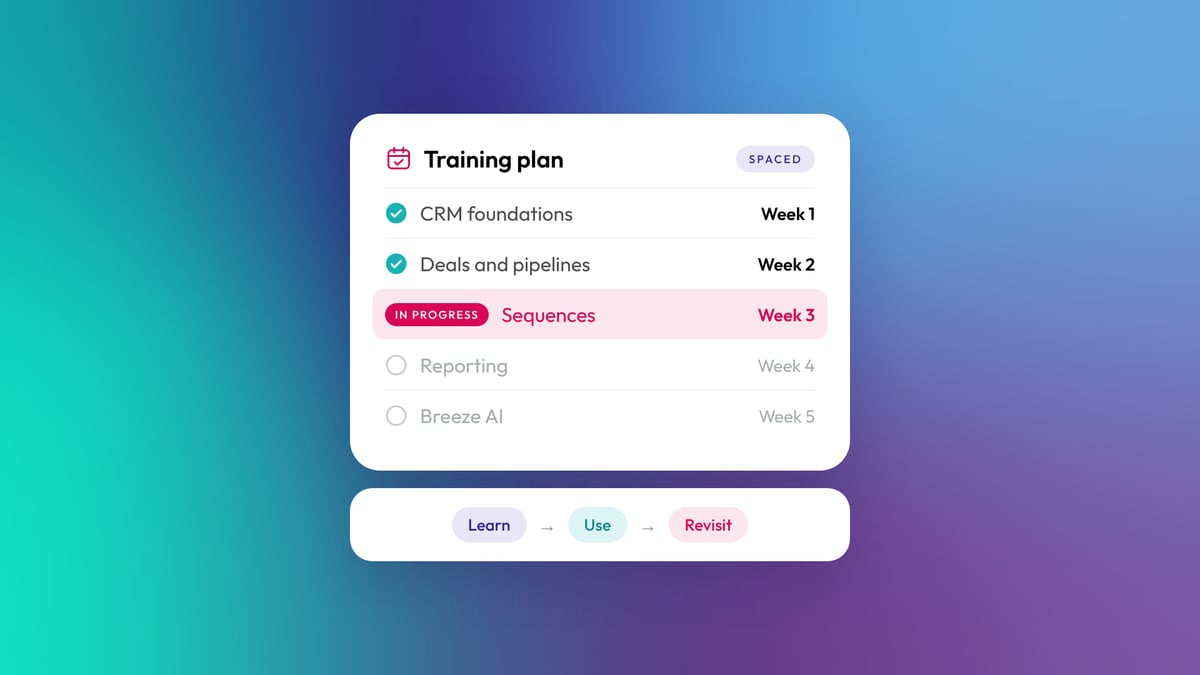
One HubSpot training session doesn't stick because people forget most of what they learn unless they use it and revisit it soon after. What builds lasting capability is short, role-based training, follow-up sessions spaced over several weeks, and help built into the portal itself. Capability comes from repeated use in real work, not from a single day in a meeting room.
We've run HubSpot training for B2B teams for more than a decade, and the pattern is consistent. The training day goes well. Everyone nods. Three weeks later, half the team is back in their spreadsheet and the other half is logging calls in three different ways. The training wasn't bad. It just wasn't designed for how people learn.
Last updated: November 2026
Why do people forget HubSpot training so quickly?
Memory fades fast when new information isn't used. The forgetting curve, first described by psychologist Hermann Ebbinghaus in the 1880s, shows that most newly learned material is lost within days unless it's reviewed. Later research has repeatedly found that spaced review slows that loss.
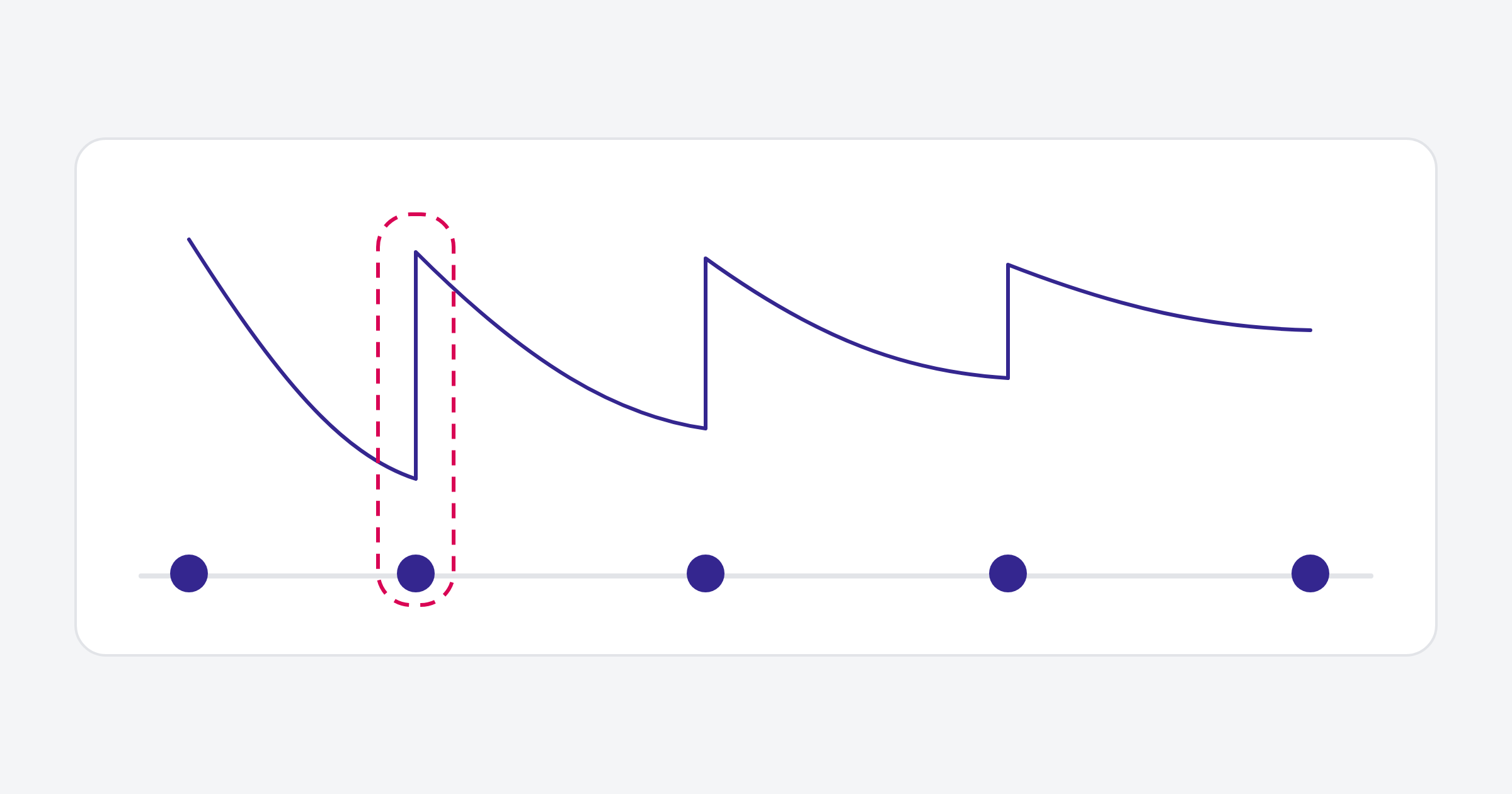
A full-day HubSpot session makes this worse. People get shown deals, sequences, reports, tasks and workflows in one sitting, most of which they won't touch for weeks. By the time they need a feature, the memory of how it works has gone.
Why doesn't training alone build AI and CRM capability?
Training builds awareness. Capability needs three more things: a process to follow, a system set up to support it, and a reason to use it every day. Without those, even well-trained people drift back to the old way.
- Process. If nobody has defined when a lead becomes an SQL, training on lifecycle stages won't help.
- System. If the record layout shows 60 properties, people won't find the five that matter.
- Reason. If the weekly sales meeting runs off a spreadsheet, the spreadsheet wins.
This applies even more to AI tools like Breeze Assistant. A one-off demo shows what's possible. Capability comes when people have prompts for their own tasks and a habit of using them.
What does HubSpot training that sticks look like?
Training that sticks is short, specific to each role, repeated at intervals and tied to the work people do that week. This is the structure we use with clients.
| Stage | Sessions | What we cover |
|---|---|---|
| Working sessions | Kick off, Journey Mapping, Data, HubSpot Setup | Your goals, a map of your customer journey, your existing data and key fields, and the settings HubSpot needs before anyone is trained |
| CRM foundations | CRM 1, CRM 2 | Contacts, companies, properties, views and filters, then meetings, calling, tasks, notes and segments |
| Hub training | Sales 1 to 3, Marketing or Service sessions | One topic per session for the hubs you have, such as leads, deals, templates, sequences, forms or marketing emails |
| Reporting and data | Reporting, Data Management | Goals, forecasts, dashboards and reports, plus data quality and enrichment |
| AI | Sales AI or Marketing AI | HubSpot credits and the Breeze agents that fit your team, such as the prospecting or customer agent |
| Wrap up | Wrap Up | Open questions, what hasn't landed yet and what to work on next |
Each training session runs for about an hour, usually a week apart, so people use one layer in their real work before the next one arrives. We show how to do it in your portal, and your team does the work. Every session is recorded, so anyone can rewatch it when they finally need the feature.
How do you build help into the HubSpot portal?
Put the answers where people work. A short guide in a shared drive gets forgotten. Help inside HubSpot gets used.
- Simplify record layouts. Show the properties people need, in the order they need them. On Professional and Enterprise you can create record views for each team. On other tiers, simplify the shared default layout.
- Use required fields at stage changes. Make the deal pipeline ask for the right information when a deal moves stage.
- Write property descriptions. Every custom property should explain what it means and when to fill it in, so people can check before they guess.
- Use playbooks. On Sales Hub or Service Hub Professional or Enterprise, users with a Sales or Service seat can open playbooks on records for call scripts and qualification questions.
- Record short how-to videos. Two-minute screen recordings for your own setup beat generic tutorials every time.
How do you know whether training has worked?
Measure behaviour in the portal, not attendance. Useful signals include logged calls and meetings per rep, deals with missing amounts or close dates, tasks overdue, and how many people use Breeze Assistant each week.
Enterprise accounts can review login trends and user activity in the audit log's user analytics. Activity reports by user show who's logging their work. If a number isn't moving, that's your next training topic.
Frequently asked questions
Is HubSpot Academy enough for our team?
HubSpot Academy is free and excellent for learning how features work. It can't teach your process, your properties or your pipeline. Use Academy for the general skills and your own sessions for how your business uses HubSpot.
Should we train everyone together or by role?
By role, with one short shared session on the overall customer journey. Sales, marketing and service use different parts of HubSpot, and mixed sessions spend most of their time on things half the room doesn't need.
What about new starters?
Record your role-based essentials sessions and keep them with a written checklist. New starters watch the recordings, then join the next quarterly session.
Want training built around your portal and spaced so it sticks? We run role-based HubSpot training and follow-ups for ANZ teams. Let's talk.
