
Last updated: November 2026
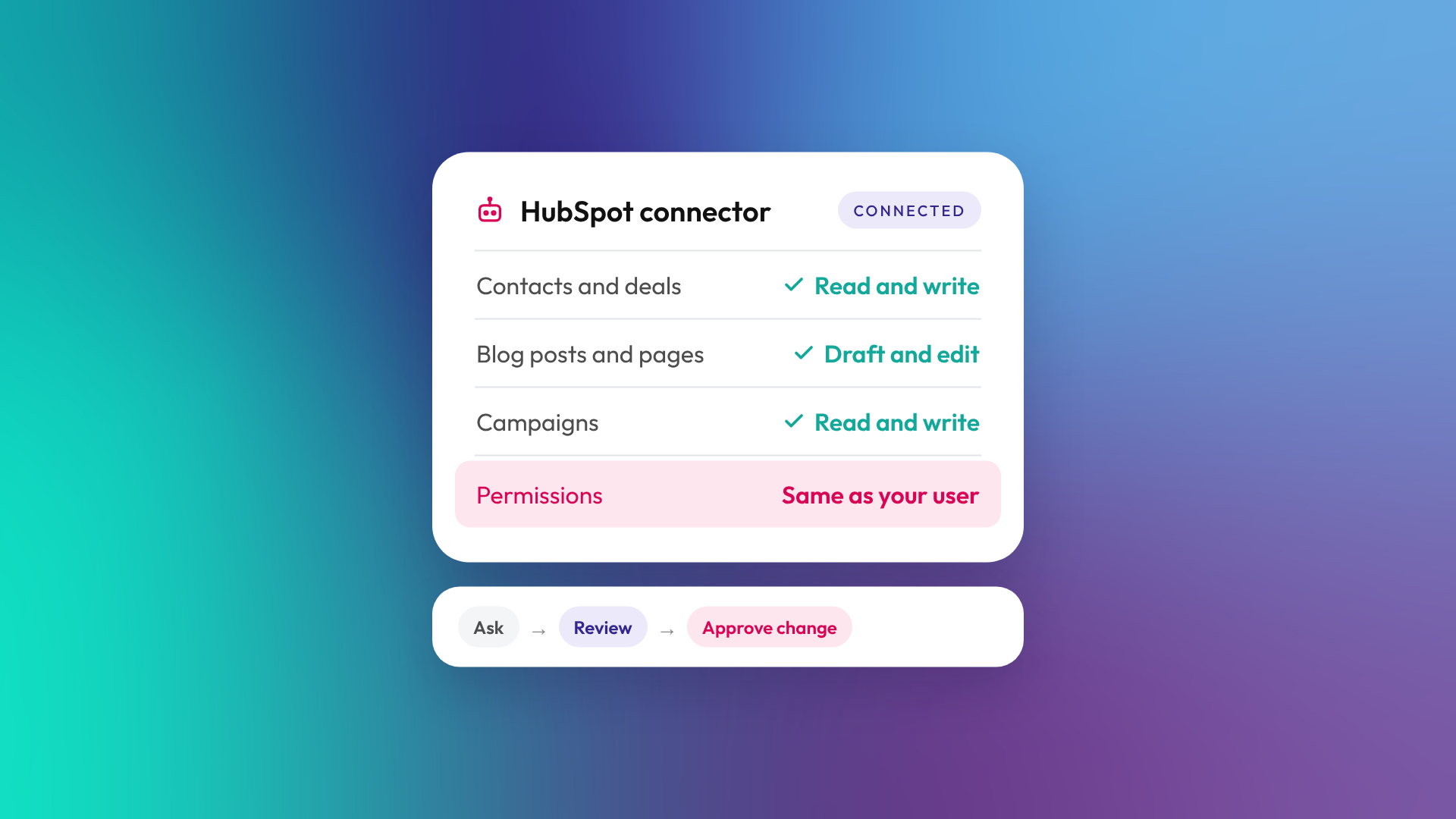
The HubSpot MCP server is a HubSpot-hosted connection that lets AI tools such as Claude, ChatGPT, Gemini and Microsoft Copilot read and update data in your HubSpot account. It uses the Model Context Protocol (MCP), an open standard for connecting AI assistants to business systems. Every action respects the HubSpot permissions of the user who connected it, so the AI can only see and change what that person can.
What is MCP, in plain terms?
Model Context Protocol (MCP) is an open standard that gives AI assistants a consistent way to connect to other software. Instead of copying data out of HubSpot and pasting it into a chat, the assistant calls HubSpot directly through a set of defined tools, such as "search contacts" or "update a deal".
For a HubSpot user, this means you can ask an AI assistant a question about your pipeline, or ask it to draft a blog post in your portal, and it works with live HubSpot data rather than a stale export.
What can the HubSpot MCP server do?
The remote HubSpot MCP server can read a broad range of supported CRM, content and marketing data, and create or update selected records and assets. It became generally available on 13 April 2026. The tools available depend on your HubSpot subscription, user permissions, account configuration and the permissions granted to the connector. According to HubSpot's developer documentation, it covers:
| Area | Read | Write |
|---|---|---|
| CRM records | Contacts, companies, deals, tickets, leads, custom objects, activities | Create and update records and activities |
| CRM setup | Properties, pipelines, segments | Custom properties, pipelines, static segments |
| Content | Blog posts, website pages, landing pages, content analytics | Create, edit and publish blog posts and pages |
| Marketing | Campaigns, marketing email stats and drafts, social posts | Campaigns, marketing email drafts, social posts |
| AEO | AEO visibility data | Create tracked prompts and act on brand recommendations, including starting content-generation actions |
| Revenue objects | Quotes, invoices, products, subscriptions, carts, orders and line items (read access listed as beta) | Create and update products and line items. Quote creation and management are in beta and need Revenue Hub Professional or Enterprise, plus the connector's optional permission to manage revenue objects |
A few conditions apply. HubSpot currently lists website page tools, blog post tools and content previews as available only in Claude, ChatGPT and Gemini. Landing page creation, editing and publishing are also documented, without the same client restriction. The AEO tools need Marketing Hub Professional or Enterprise.
Creating or changing social posts also needs the connector's social publishing permission. With read and edit permissions alone, social posts are read-only through the MCP server.
If Sensitive Data is turned on in your HubSpot account, extra restrictions apply. HubSpot's integration guide says conversation data is blocked, and its general availability announcement also lists restrictions on activity objects such as calls, emails, meetings, notes and tasks. Check what's available in your account before relying on conversation or activity access.
Is the HubSpot MCP server safe to connect?
The server is built with permission controls, but how safe it is in practice depends on who connects it and what their HubSpot user can do. HubSpot states that all actions respect the connecting user's existing permissions, and connection uses OAuth, so no passwords are shared with the AI tool.
HubSpot also requires the AI to get explicit user confirmation before creating or updating CRM records. That is a useful safeguard, but it only works if the person approving actually reads what is being changed. Before you roll it out, check:
- Who connects it. Connecting through a Super Admin account can give the AI broad access within the permissions granted to the connector. Use an appropriately restricted HubSpot user and review the requested access before approving.
- Team and record permissions. Tighten these first if sales reps can currently edit everything.
- Which AI workspace it lives in. Connect it in a company-managed AI account, not a personal one.
- How changes are traced. Agree how AI-made changes are noted on records so they can be followed up later.
How do you connect HubSpot to Claude or ChatGPT?
For most businesses, the quickest route is HubSpot's own connector inside the AI tool, which HubSpot powers with the same MCP server. You add the HubSpot connector in Claude, ChatGPT, Gemini or Microsoft Copilot, sign in to HubSpot, and approve the access requested.
If you are building your own AI agent or integration, HubSpot documents a separate route:
- In HubSpot, go to Development, then MCP Connectors, and create an MCP connector with a name and redirect URL, and an optional description.
- Copy the client ID and client secret.
- Point your MCP client at
https://mcp.hubspot.comusing OAuth with PKCE. - Authorise the connection with a HubSpot user.
- Test with a simple read, such as fetching the connected user's details.
Full steps are in HubSpot's guide to integrating with the remote HubSpot MCP server.
What is the difference between the remote MCP server and the developer MCP server?
HubSpot has two MCP servers with different jobs. The remote MCP server works with the data inside your HubSpot account: records, content and campaigns. The developer MCP server runs locally alongside the HubSpot CLI and helps developers build apps, CMS themes, templates, modules and serverless functions.
The developer MCP server became generally available on 19 February 2026, according to HubSpot's developer changelog, and the remote server followed on 13 April 2026. The developer server works with coding tools such as VS Code, Claude Code, Cursor, OpenAI Codex and Gemini CLI. If you are not building on HubSpot's developer platform, you only need the remote server.
What are the limits of the HubSpot MCP server?
The MCP server is built for everyday questions and edits, not bulk data work. HubSpot's documentation lists these limits:
- CRM searches return up to 200 results per page.
- Fetching records by ID is capped at 100 IDs per request.
- The SQL-style reporting tool does not support joins, subqueries or association traversal.
- Free HubSpot accounts can edit the default pipeline but cannot create custom pipelines.
For large clean-ups, imports or migrations, HubSpot's import tools, workflows or the API are still the better fit. The MCP server works best for analysis, drafting and one-off updates a person can check.
How can B2B teams use the HubSpot MCP server?
The useful jobs tend to be the ones where someone would otherwise export a report or click through dozens of records. Example uses include:
- Asking which deals have had no activity in 30 days, and drafting follow-up notes.
- Summarising a company's history before a renewal or account review.
- Drafting blog posts and website pages directly in HubSpot for a person to review and publish.
- Checking content performance across blog posts without building a report.
- Creating a static segment from a plain-English description.
We use the HubSpot connector in Claude on our own portal to draft and update blog posts and website pages. Everything still goes through a person before it is published.
Frequently asked questions
Does the HubSpot MCP server cost extra?
HubSpot's documentation does not list a separate price for the MCP server. Some tools depend on your subscription, such as AEO tools needing Marketing Hub Professional or Enterprise. Your AI provider may also have its own subscription requirements or usage limits.
Is the HubSpot MCP server generally available?
Yes. HubSpot announced general availability of the remote MCP server on 13 April 2026. Some tools within it, such as revenue objects, are still in beta.
Which AI tools work with the HubSpot MCP server?
HubSpot's own connectors for Claude, ChatGPT, Gemini and Microsoft Copilot run on it. Any MCP client that supports OAuth with PKCE can connect through a custom MCP connector.
Can the AI see data my user can't?
No. HubSpot states that all MCP actions respect the connecting user's existing HubSpot permissions.
Can the HubSpot MCP server publish content?
Yes. It can create, edit and publish blog posts, website pages and landing pages. HubSpot lists the blog post and website page tools as available only in Claude, ChatGPT and Gemini.
Is the HubSpot MCP server the same as Breeze?
No. Breeze is HubSpot's own AI inside the platform. The MCP server lets external AI tools work with your HubSpot data.
Does it work with a free HubSpot account?
Yes, with some limits. For example, free accounts can edit the default pipeline but cannot create custom pipelines through it.
Connecting AI to your HubSpot portal?
The connection itself can be quick. Allow time to review permissions and test access before your team relies on it. If you'd like a second pair of eyes on who should have access and what the AI should be allowed to change, book a call with us.
