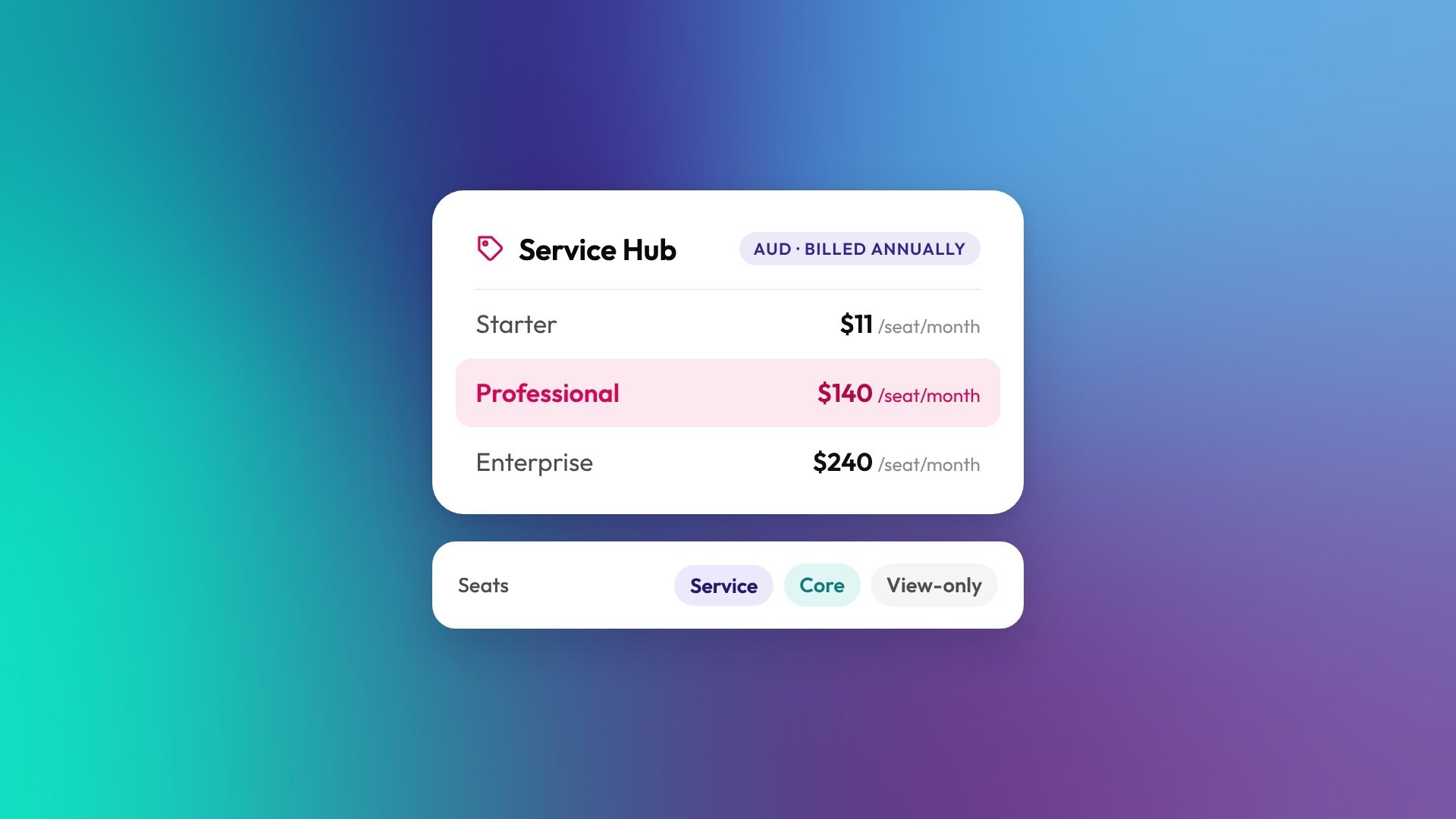
HubSpot Service Hub costs between A$11 and A$240 per seat a month in Australia, paid annually and ex GST, depending on the tier. Professional, the tier most support teams need for a proper help desk, is A$140 per seat a month paid annually. If you use the Customer Agent to resolve conversations with AI, budget for HubSpot Credits as well: each resolved conversation uses 50 credits. Prices below were checked in October 2026; confirm current AUD rates on HubSpot's Service Hub pricing page before you buy.
How much is each Service Hub tier in AUD?
Service Hub is priced per seat, so you pay for each person who works tickets and conversations. People who only need to see tickets and reports can use free view-only seats.
| Tier | Per seat, per month, paid annually (ex GST) | Paid monthly | HubSpot onboarding (one-off) | Monthly HubSpot Credits |
|---|---|---|---|---|
| Free | A$0 (up to 2 users) | A$0 | None | None |
| Starter | A$11 | A$31, monthly commitment | None | 500 |
| Professional | A$140 | A$155, annual commitment | About A$2,160 | 3,000 |
| Enterprise | A$240 | Annual only | About A$5,040 | 5,000 |
Prices are HubSpot's Australian prices as checked in October 2026, excluding GST. Onboarding fees are approximate AUD equivalents of HubSpot's published fees.
What do you get at each tier?
Starter gives a small team a shared inbox and basic ticketing. Professional turns Service Hub into a full help desk with automation, a knowledge base and feedback surveys. Enterprise adds the controls larger or more complex support teams need.
- Starter suits a couple of people answering customer emails and chat who want them tracked as tickets in one place.
- Professional adds ticket pipelines and routing, SLAs, a knowledge base, a customer portal, customer feedback surveys, playbooks and custom reporting. It's also the entry tier for the Customer Agent. Most B2B support teams end up here.
- Enterprise adds custom objects, advanced permissions, skill-based routing across larger teams and more room in every limit.
How does the Customer Agent use HubSpot Credits?
The Customer Agent is HubSpot's AI agent that answers customer questions from your knowledge base and other content. It uses 50 HubSpot Credits each time it resolves a conversation on a text channel such as chat or email. The voice version, still in beta, uses 50 credits per minute of conversation.
You're charged for resolutions, not for every message. According to HubSpot's Customer Agent documentation, a conversation counts as resolved when:
- the agent replies with a content source or performs an action, and the customer doesn't ask for a human within 72 hours of their last response, or
- the agent marks a lead as qualified, partially qualified or not qualified.
If the customer asks for a person, or triggers a handoff phrase you've set up, the conversation isn't a resolution. On email, a customer who replies after more than 72 hours reopens the conversation, and a second resolution can use another 50 credits. New setups can also opt in to a 14-day free period, and reply recommendations for your team don't use credits at all.
What will the Customer Agent cost each month?
Professional includes 3,000 credits a month, enough for about 60 resolutions if nothing else is using them. Credits reset monthly and don't roll over. If you hold more than one hub, you get the allowance for your highest edition, not one allowance per hub.
Beyond the allowance, HubSpot's product and services catalog lists two options: pay as you go at US$0.01 per credit, or capacity packs of 1,000 credits a month for US$10 each. That's about US$0.50 per resolution, or roughly A$0.70.
A team whose agent resolves 400 conversations a month would use 20,000 credits. That's 17,000 over the Professional allowance, or about US$170 (roughly A$240) a month. The agent is only as good as the knowledge base behind it, so that's worth sorting before you switch it on.
What actually drives your Service Hub bill?
- Who needs a paid seat. Only people who work tickets and conversations need a Service seat. Managers who watch the dashboards can usually use free view-only seats.
- Annual or monthly billing. Paying annually saves A$20 per seat a month on Starter and A$15 on Professional.
- Customer Agent resolutions. Each one uses 50 credits once you're past your monthly allowance.
- Other hubs. If sales or marketing will also run in HubSpot, a Customer Platform bundle can cost less than separate hubs. Professional bundles start from about A$2,000 a month for 6 seats, and include 5,000 credits a month instead of 3,000.
What does Service Hub cost for a typical team?
Take a B2B support team with five agents and a customer success manager who only needs to see tickets. On Professional, paid annually, that's five paid seats and one view-only seat.
| 5 Professional seats at A$140 | A$700 a month |
| 1 view-only seat | A$0 |
| Licences for the year | A$8,400 |
| HubSpot onboarding (one-off) | About A$2,160 |
| Year one with HubSpot, ex GST | About A$10,560 |
Add credits on top if the Customer Agent will resolve more than about 60 conversations a month. The figure also leaves out partner work, such as moving tickets from Zendesk or Freshdesk, setting up routing and SLAs, or writing the knowledge base.
Do you need a HubSpot partner to set up Service Hub?
Not always. A small team moving from a shared inbox can get a long way with HubSpot's own onboarding. A partner tends to earn its place when you're migrating tickets from another help desk, connecting service to sales and billing data, or need routing that mirrors how your team actually works.
We've written up how we approach HubSpot onboarding, including what's in scope and how long it takes.
How can you keep your Service Hub bill down?
- Give paid seats only to people who work tickets. Use view-only seats for everyone else.
- Build out the knowledge base before you switch on the Customer Agent, so it resolves more and hands off less.
- Use the 14-day free period to see how many resolutions a month you'd actually get before you budget for credits.
- Watch credit usage each month, especially in the first quarter after switching on AI features.
Frequently asked questions
How much does HubSpot Service Hub cost per user in Australia?
Paid annually, Service Hub is A$11 per seat a month on Starter, A$140 on Professional and A$240 on Enterprise, ex GST. View-only seats are free.
Do HubSpot's Australian prices include GST?
No. HubSpot lists its Australian prices excluding GST, so add 10% when you budget.
Which Service Hub tier includes a knowledge base?
The knowledge base comes with Professional and Enterprise. Starter doesn't include it.
How many credits does the Customer Agent use?
The Customer Agent uses 50 HubSpot Credits per resolved conversation on text channels like chat and email. The voice version, in beta, uses 50 credits per minute.
Which HubSpot plans can use the Customer Agent?
The Customer Agent is available on Professional and Enterprise editions of Service Hub and the other HubSpot hubs. It isn't available on Free or Starter.
Does the Customer Agent use credits when it hands a conversation to a person?
No. Credits are only used when the agent resolves a conversation. If the customer asks for a human, the conversation doesn't count as a resolution.
Can I move tickets from Zendesk or Freshdesk into Service Hub?
Usually, yes. Open and recent tickets move across well. How much history comes with them depends on what the old system can export, so it's worth checking before you set a cutover date.
Is the HubSpot onboarding fee compulsory?
For Professional and Enterprise, HubSpot charges a one-off onboarding fee: about A$2,160 for Professional and A$5,040 for Enterprise. Ask HubSpot whether it can be waived if a partner is handling your setup.
Ready to work out the right setup?
If you'd like help choosing a tier and setting up a help desk your team will actually use, let's talk. You might also want to compare Sales Hub pricing in Australia.
.png)